
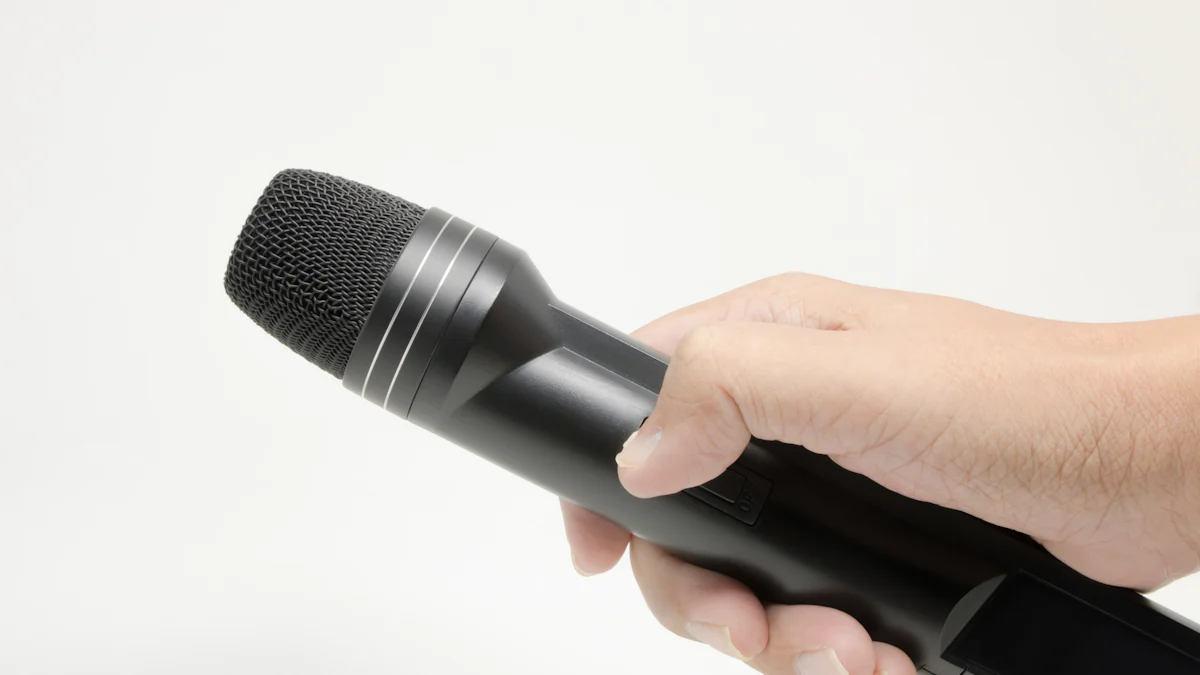
What Makes a Bluetooth Microphone Special
When it comes to karaoke, having the best Bluetooth microphone can make all the difference. These special microphones are designed to be incredibly user-friendly and convenient, making your singing experience truly wireless.
Easy to Use and No Cables
Using a Bluetooth microphone is as simple as turning it on and connecting it to your device. The magic of Bluetooth technology allows for seamless connectivity without the hassle of tangled cables. In simple terms, Bluetooth creates a wireless connection between the microphone and your device, enabling you to move around freely while singing without being tethered by cords. This freedom of movement adds an extra layer of fun to your karaoke sessions.
Sounds Great Anywhere
Sound quality is crucial for a fantastic karaoke experience. A high-quality Bluetooth microphone ensures that your voice sounds clear and vibrant no matter where you are singing. Whether it’s in your living room, at a friend’s house, or even outdoors, the portability of these microphones allows you to enjoy great sound quality in any location.
Tip: When using your Bluetooth microphone in different places, consider the acoustics of the space to optimize your sound quality.
Picking the Best Bluetooth Microphone for Karaoke
Now that you understand the unique benefits of a Bluetooth microphone, it’s essential to know what to look for when choosing the best one for your karaoke sessions.
What to Look for in a Best Bluetooth Microphone
When selecting the best Bluetooth microphone, there are several key features to consider:
Sound Quality and Volume Control
The sound quality of a Bluetooth microphone is paramount. Look for a microphone that delivers clear, crisp sound and offers adjustable volume control. This ensures that your vocals are projected with clarity, enhancing your overall singing experience.
Battery Life for Long Singing Sessions
For extended karaoke sessions, battery life is crucial. Opt for a Bluetooth microphone with long-lasting battery performance, allowing you to sing without interruptions. This feature ensures that your microphone remains powered throughout your entire singing session, whether it’s a solo performance or a group karaoke night.
Easy Connection to Your Devices
A seamless connection process is essential for hassle-free karaoke fun. Choose a Bluetooth microphone that effortlessly connects to your devices. Whether it’s a smartphone, tablet, or laptop, easy connectivity enhances convenience and allows you to focus on enjoying your favorite tunes.
Our Top Picks for Wireless Microphones
For kids and beginners venturing into the world of karaoke, there are some fantastic options available:
A Few Great Options for Kids and Beginners
** Kids Karaoke Microphone:** Specifically designed with young singers in mind, this microphone offers vibrant colors and simple controls tailored for kids’ use.
** Beginner’s Wireless Microphone:** With user-friendly features and an affordable price point, this microphone is perfect for those new to karaoke.
Why These Are the Best Choices
These top picks prioritize ease of use, durability, and excellent sound quality—ideal qualities for budding young singers and those new to the world of wireless karaoke microphones.
Setting Up Your Wireless Microphone for the First Time
Now that you have your wireless microphone in hand, it’s time to set it up for an amazing karaoke experience. Follow this simple step-by-step guide to connect your microphone effortlessly.
Step-by-Step Guide to Connect Your Microphone
Turning on Bluetooth on Your Device: Begin by turning on the Bluetooth feature on your smartphone, tablet, or laptop. This enables your device to discover and connect with nearby Bluetooth devices, including your wireless microphone.
Pairing Your Microphone with Your Device: Once Bluetooth is activated, put your microphone into pairing mode according to the manufacturer’s instructions. Then, select the microphone from the list of available devices on your screen and confirm the pairing request. Once paired successfully, your wireless microphone is ready to use for a cord-free singing experience.
Testing Your Blue Tooth Microphone
After connecting your wireless microphone, it’s essential to ensure that everything sounds just right before diving into your favorite tunes.
Making Sure Everything Sounds Right: Test the microphone by speaking or singing into it and listening through the connected device. Ensure that the sound is clear and free from any distortions or interference.
Adjusting Settings for the Best Sound: If needed, adjust the volume and sound settings on both the microphone and your device to achieve an optimal audio output for a fantastic karaoke session.
Tips for a Great Wireless Singing Experience
How to Sound Like a Star
Sounding like a star during your karaoke sessions involves more than just hitting the right notes. Standing in the right way can significantly impact your performance. Stand with your feet shoulder-width apart, keeping your body relaxed and upright. This posture allows for better breath control and vocal projection, helping you deliver an impressive performance.
Additionally, paying attention to your breathing is crucial for better singing. Practice taking deep breaths from your diaphragm rather than shallow breaths from your chest. This technique not only improves the quality of your voice but also helps you sustain longer notes and phrases with ease.
Fun Ideas for Karaoke Nights
Making your karaoke nights memorable involves more than just singing. Start by choosing songs that everyone loves. Opt for popular tunes or classics that are sure to get everyone singing along and enjoying the experience together.
To add an extra element of excitement, consider making a karaoke contest with friends. Set up friendly competitions with categories like best performer, most entertaining act, or even funniest performance. This adds a playful and competitive spirit to the evening, making it an unforgettable event for everyone involved.
Where to Find the Best Bluetooth Microphone
When searching for the best Bluetooth microphone, you have a few options to consider. Online stores offer a wide selection and the convenience of browsing from the comfort of your home. Local shops, on the other hand, provide the advantage of trying out different microphones in person before making a purchase.
Before buying, it’s essential to check for product reviews and ratings to ensure you’re getting a high-quality wireless microphone. Additionally, verify the compatibility of the microphone with your devices and look for any special features that may enhance your karaoke experience.
Keeping Your Blue Tooth Microphone in Top Shape
Regular Care and Maintenance
When it comes to blue tooth microphone maintenance, a few simple practices can keep it in top condition. Start by cleaning your microphone regularly to remove any dust or debris that may affect its performance. Additionally, ensure that you are charging and storing it properly, following the manufacturer’s guidelines to maintain its battery life and overall functionality.
Troubleshooting Common Issues
Encountering connectivity issues with your blue tooth microphone can be frustrating. If it won’t connect to your device, try restarting both the microphone and your device before attempting to pair them again. For sound problems, quickly check the volume settings on both the microphone and your device, ensuring they are appropriately adjusted for optimal sound output.