
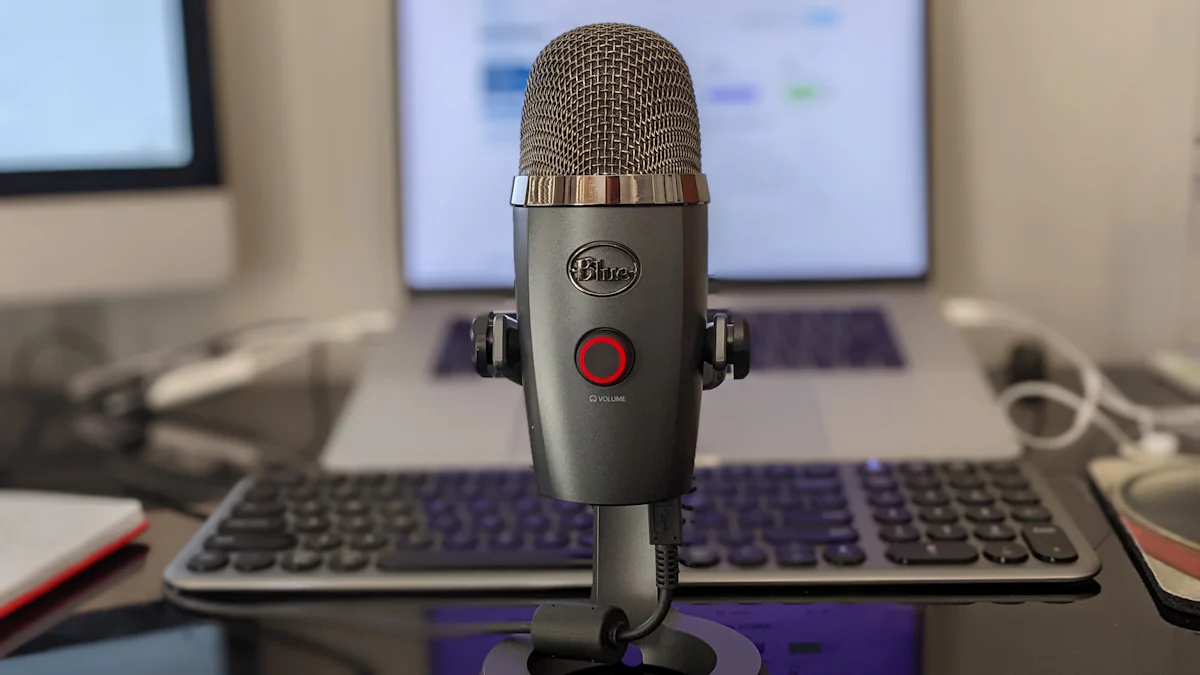
Wireless Mic Overview
Computer wireless microphones have become an essential tool for audio recording and communication on laptops and computers. These wireless mics provide a convenient and versatile solution, allowing users to move freely without being restricted by cables. Whether it’s for presentations, online meetings, or recording sessions, the wireless feature offers enhanced mobility and flexibility. With seamless integration across various operating systems and software applications, computer wireless microphones ensure improved accessibility and usability for a wide range of users.
Mic Advantages
Enhanced Mobility
The wireless functionality of computer wireless microphones allows users to move freely without the constraints of cables, offering unparalleled flexibility and convenience. This feature is particularly beneficial for individuals engaged in presentations, online meetings, and recording sessions, providing the freedom to move about without being tethered to a specific location.
Improved Accessibility
The seamless integration of computer wireless microphones enables users to effortlessly switch between devices and locations, enhancing accessibility and usability. This level of adaptability ensures that users can easily transition from one operating system or software application to another without encountering compatibility issues.
Wireless microphones offer enhanced mobility and improved accessibility, providing users with the freedom to move about while ensuring seamless integration across different devices and operating systems.
Device Compatibility
Laptop and Computer Compatibility
When it comes to compatibility, computer wireless microphones offer versatile usage across a wide range of laptops and computers. Whether you’re using a PC or a Mac, these wireless mics are designed to seamlessly integrate with different devices, ensuring hassle-free plug-and-play functionality. This means that users can easily connect the wireless microphone to their preferred device without the need for complex setup procedures. The versatility of laptop and computer compatibility makes computer wireless microphones an ideal choice for users with diverse hardware preferences.
Operating System Integration
Computer wireless microphones are compatible with various operating systems, including Windows, macOS, and Linux. This universal compatibility ensures that users can enjoy a seamless setup and usage experience across different operating environments. Whether you’re using a Windows-based PC, a Macbook, or a Linux-powered machine, the wireless microphone is designed to integrate effortlessly with your preferred operating system. This level of compatibility enhances the accessibility and usability of computer wireless microphones for users with diverse operating system preferences.
Setup Guide
Simple Installation Process
Setting up the computer wireless microphone is a seamless process that caters to users of all technical levels. The step-by-step guide ensures easy installation, eliminating any complexities and allowing users to start using the wireless microphone quickly.
Optimizing Performance
To maximize the performance of the computer wireless microphone, it is essential to follow some key tips. These tips are designed to ensure high-quality audio output and reliable connectivity. Additionally, troubleshooting common setup issues can significantly enhance user experience and satisfaction.
By following these guidelines, users can effortlessly set up their computer wireless microphones and optimize their performance for an enhanced audio experience.
SEO Content: Computer wireless microphones offer a simple installation process suitable for users of all technical levels. Optimizing their performance ensures high-quality audio output and reliable connectivity, enhancing user experience and satisfaction.
USB Mic Benefits
Versatility of USB Wireless Microphones
When it comes to computer and laptop users, the benefits of USB wireless microphones are truly noteworthy. These devices offer unparalleled versatility, allowing users to seamlessly connect their microphones to their computers or laptops without the need for complex setups. The convenience and flexibility of USB connectivity enable smooth and hassle-free audio transmission, making it an ideal choice for a wide range of applications. Whether it’s for online meetings, recording sessions, or content creation, USB wireless microphones provide the versatility that modern users demand.
Enhanced Audio Quality
One of the key advantages of USB wireless microphones is their ability to deliver superior audio quality across various applications. The use of USB connectivity significantly enhances the overall audio experience for users, ensuring clear and crisp sound transmission. Whether you’re engaging in professional recordings or virtual meetings, the enhanced audio quality provided by USB wireless microphones elevates the communication and recording experience to new heights.
Maximizing Mic Usage
Computer wireless microphones are incredibly versatile tools that offer unparalleled convenience and flexibility for a wide range of applications. Understanding the setup and benefits of these wireless mics can significantly enhance the user experience and productivity. Embracing the advancements in wireless microphone technology has the potential to revolutionize audio communication and recording in 2024.
Enhanced Flexibility: Computer wireless microphones provide users with the freedom to move about without being tethered by cables, enhancing mobility during presentations, online meetings, and recording sessions.
By embracing the capabilities of computer wireless microphones, users can elevate their audio communication and recording experiences to new heights, unlocking a world of possibilities for seamless and high-quality sound transmission.