
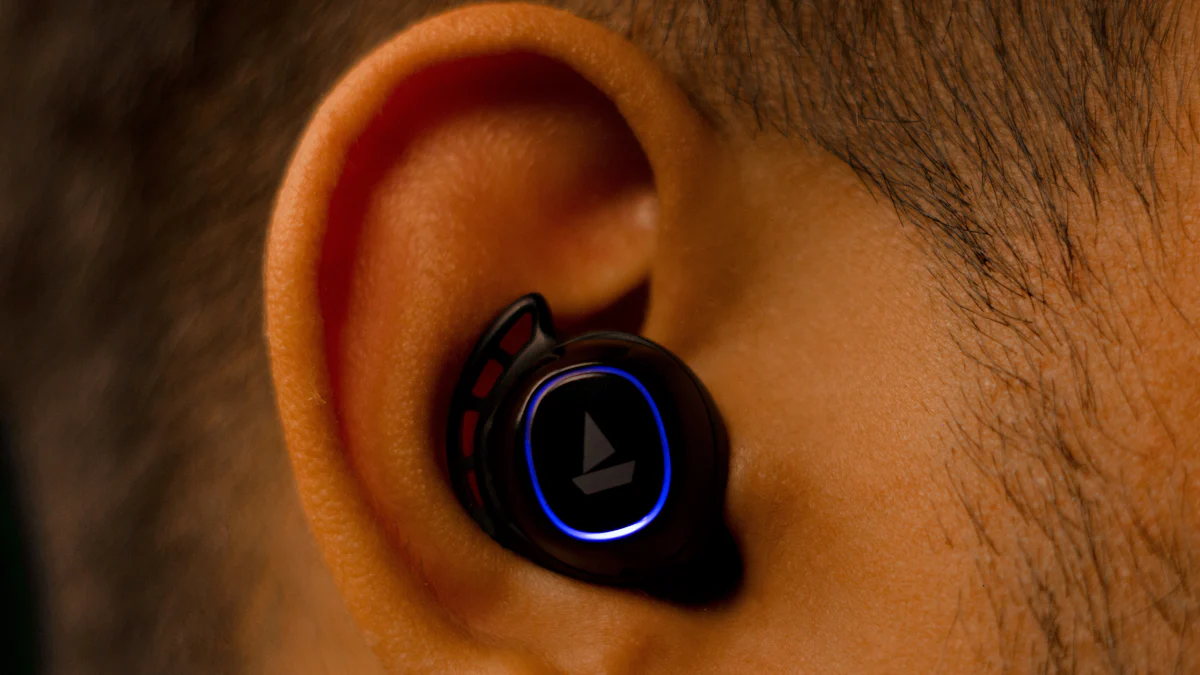
Understanding Wireless In-Ear Monitors
Wireless in-ear monitors are a crucial tool for musicians during live performances and studio work. These compact devices provide a personalized audio experience, allowing musicians to hear a customized mix of vocals and instruments directly in their ears.
What Are Wireless In-Ear Monitors?
Wireless in-ear monitors, often referred to as IEMs, are small earpiece devices that receive an audio signal wirelessly. They function by capturing sound from a mixing console or audio source and transmitting it directly to the musician’s ears. This enables performers to have control over their individual monitor mix, tailored to their specific preferences.
Why Musicians Use Wireless In-Ear Monitors
The use of wireless in-ear monitors offers several benefits for musicians. In live performances, they provide clear and consistent audio without the need for bulky stage monitors. Additionally, in the studio, IEMs allow for precise monitoring during recording sessions, ensuring that musicians can hear every nuance of their performance without interference from external noise.
Choosing the Right Wireless In-Ear Monitor
When selecting wireless in-ear monitors, there are several important factors to consider to ensure that you find the best option for your needs.
Factors to Consider
When it comes to choosing the right wireless in-ear monitor, sound quality, comfort, and durability are paramount. The wireless in ear monitors should deliver clear and accurate audio reproduction, allowing you to discern every note and nuance of your performance. Comfort is also crucial, as you may be wearing the monitors for extended periods during rehearsals and performances. Additionally, durability is essential to withstand the rigors of regular use in various environments.
Reading Reviews and Getting Recommendations
Before making a purchase, it’s beneficial to read reviews and seek recommendations from other musicians who have experience with specific wireless in-ear monitors. Leveraging their experiences can provide valuable insights into the performance, reliability, and overall satisfaction with different models. Look for testimonials that highlight aspects such as sound quality, comfort during prolonged use, battery life, and overall build quality.
In addition to online reviews, consider reaching out to fellow musicians or audio professionals for personalized recommendations based on their firsthand experiences with using wireless in-ear monitors in diverse settings.
Setting Up Your Wireless In-Ear Monitor
Now that you have chosen the right wireless in-ear monitor, it’s time to set it up for an optimal audio experience.
Connecting to Your Audio Source
To begin, ensure that your wireless in-ear monitor system is fully charged and powered on. Next, locate the audio transmitter, which is typically connected to the main mixing console or audio source. Follow these steps to establish a connection:
Locate the Input: Identify the input port on the transmitter device. It may be labeled as “Audio In” or “Line In.”
Connect the Audio Source: Use an appropriate cable to connect the output of the mixing console or audio source to the input port on the transmitter.
Power On and Sync: Once connected, power on both the transmitter and your wireless in-ear monitors. The devices should automatically sync, establishing a secure connection for transmitting audio signals.
Check Signal Quality: Verify that the signal strength indicator on your wireless in-ear monitor system shows a strong and stable connection.
Adjusting the Sound Mix
After successfully connecting your wireless in-ear monitor, it’s essential to adjust the sound mix to suit your preferences and performance requirements.
Balance Vocals and Instruments: Begin by adjusting the levels of vocals and instruments in your mix using either dedicated controls on your wireless in-ear monitor system or through adjustments made at the main mixing console. Ensure that each element is balanced for clarity and prominence according to your specific needs.
Test Different Settings: Experiment with different sound mixes during rehearsals to find an optimal balance that allows you to hear all musical elements clearly without any overpowering frequencies.
Seek Feedback: If possible, seek feedback from fellow musicians or sound engineers regarding your sound mix, as their input can provide valuable insights for further refinement.
By following these steps, you can effectively set up and customize your in ear monitor system for an enhanced auditory experience tailored to your individual preferences.
Tips for a Better In-Ear Monitor Experience
Now that you have your wireless in-ear monitors set up, there are several essential tips to enhance your overall experience and ensure optimal performance.
Achieving the Perfect Fit
Obtaining the perfect fit for your in-ear monitors is crucial for comfort and sound quality. Start by experimenting with different ear tip sizes to find the most suitable option for your ears. The right ear tips should create a secure seal, effectively blocking out external noise while providing a comfortable fit for extended wear. Additionally, ensure that the monitors are securely positioned within your ears to prevent any discomfort or potential audio loss during performances or rehearsals.
Protecting Your Hearing
As a musician, safeguarding your hearing is paramount. When using wireless in-ear monitors, it’s essential to monitor and maintain safe volume levels during rehearsals and performances. Avoid excessively high volumes that could potentially damage your hearing over time. Implement regular breaks during practice sessions to give your ears a rest and prevent fatigue. Furthermore, consider investing in custom-molded earpieces that provide enhanced noise isolation, allowing you to hear clearly at lower volume levels.
Practicing With Your In-Ear Monitors
Getting accustomed to the in-ear mix takes time and practice. Start by using your wireless in-ear monitors during rehearsals and practice sessions to familiarize yourself with the personalized audio experience they offer. Experiment with different sound mixes and monitor settings to find the balance that best suits your musical preferences and performance requirements. Over time, you’ll become more attuned to the nuances of the in-ear mix, allowing you to deliver exceptional performances with confidence.
By following these tips, you can optimize your experience with wireless in-ear monitors, ensuring comfort, protection of your hearing, and an improved understanding of how to leverage this valuable tool effectively.
Taking Care of Your Wireless In-Ear Monitors
Regular Cleaning and Maintenance
Ensuring the longevity and optimal performance of your wireless in-ear monitors requires regular cleaning and maintenance. Here are essential steps to keep your monitors in top condition:
Cleaning Ear Tips: Regularly clean the ear tips using a mild, alcohol-free solution and a soft cloth. This helps remove earwax buildup and maintains a hygienic environment for prolonged use.
Inspecting Cables: Routinely inspect the cables for any signs of wear or damage. If you notice fraying or exposed wires, consider replacing the cables to prevent potential audio interruptions during performances.
Sanitizing Earpieces: Use specialized sanitizing wipes or solutions to sanitize the earpieces, especially if they are shared among band members. This practice helps minimize the risk of bacterial or viral transmission.
Protective Storage: When not in use, store your wireless in-ear monitors in a protective case to shield them from dust, moisture, and physical damage. Proper storage prolongs their lifespan and ensures they are ready for use whenever needed.
Storing Your Monitors Properly
Proper storage is crucial for avoiding damage when your wireless in-ear monitors are not in use. Consider these tips for storing your monitors:
Dry Environment: Store your monitors in a dry environment away from direct sunlight and extreme temperatures. Excessive heat or moisture can degrade electronic components and affect overall performance.
Secure Case: Invest in a durable, protective case designed specifically for wireless in-ear monitors. The case should provide cushioning and secure compartments to prevent accidental damage during transportation or storage.
By following these maintenance practices and proper storage techniques, you can ensure that your in ear monitors remain in excellent condition, delivering consistent audio quality for your performances.