
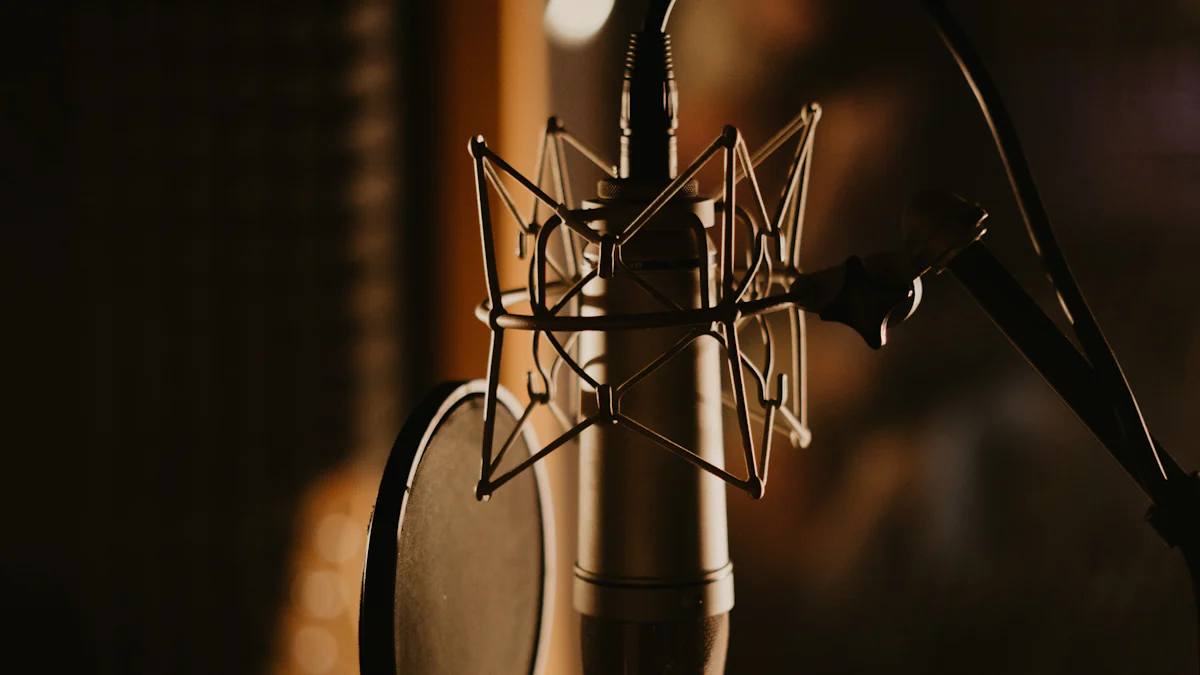
Why You Need an External Mic for Your iPhone
When it comes to recording music on your iPhone, having an external mic can make a world of difference. Let’s delve into the reasons why investing in an external microphone is crucial for capturing high-quality audio.
The Limitations of Built-in iPhone Microphones
The built-in microphones on iPhones are designed for general use, such as making phone calls and recording voice memos. However, when it comes to capturing the nuances of musical performances, they often fall short. Built-in microphones may struggle to pick up subtle details, resulting in recordings that lack depth and clarity. Additionally, they are susceptible to picking up unwanted background noise, which can detract from the overall quality of the recording.
The Impact of a Quality External Mic on Music Recording
On the other hand, a high-quality external mic has the potential to elevate your music recordings to professional levels. These mics are engineered to capture sound with precision and accuracy, allowing for a more faithful reproduction of musical performances. By using an external mic, musicians can capture the full range of frequencies and dynamics present in their music, resulting in recordings that are rich, detailed, and immersive.
In addition to superior sound quality, an external mic offers greater control over directionality and sensitivity, enabling musicians to tailor their recordings to suit different acoustic environments and musical styles. Whether you’re recording vocals, acoustic instruments, or live performances, an external microphone provides the versatility and fidelity needed to achieve outstanding results.
By choosing the right external mic for your iPhone, you can overcome the limitations of built-in microphones and unlock the full potential of your mobile recording setup.
How to Choose the Right External Mic for Your iPhone
When it comes to selecting the perfect external mic for your iPhone, understanding the different types of microphones available and key features to look for is essential. Let’s explore the options and features that will help you make an informed decision.
Understanding Different Types of Microphones
Condenser Mics
Condenser mics, also known as capacitor microphones, are known for their sensitivity and ability to capture subtle details in sound. They require power from a battery or external source, making them ideal for capturing vocals and acoustic instruments with precision.
Dynamic Mics
Dynamic mics are rugged and versatile, making them suitable for live performances and recording loud sound sources. They are less sensitive than condenser mics, making them a great choice for capturing powerful vocals and amplified instruments.
Lavalier Mics
Lavalier mics, also referred to as lapel mics, are small, discreet microphones that can be clipped onto clothing. They are commonly used in video production and public speaking scenarios, offering hands-free operation and clear audio capture.
Key Features to Look For in an External Mic
Compatibility with iPhone
When choosing an external mic for your iPhone, ensure that it is specifically designed to be compatible with iOS devices. Look for models that offer seamless integration with your iPhone, allowing you to connect and start recording effortlessly.
Directionality
Consider the directional characteristics of the microphone. Some mics have a cardioid pattern, focusing on sound from the front while minimizing background noise. Others may have an omnidirectional pattern, capturing sound from all directions. Choose a directionality that suits your recording needs.
Frequency Response
The frequency response of a mic refers to its ability to reproduce various frequencies of sound. A wide frequency response ensures that the microphone can accurately capture both low and high frequencies, resulting in well-balanced recordings with rich tonal quality.
Portability and Durability
For mobile recording setups using an iPhone, portability is key. Look for compact and lightweight external mics that are easy to transport without compromising on build quality. Additionally, consider durability as you may need the microphone to withstand various recording environments.
Top Picks for iPhone External Microphones
Now that we understand the importance of an external mic for iPhone music recording and the key features to consider, let’s explore some top picks that cater to different needs and preferences.
Best Overall: Shure MV88+
Features and Benefits
The Shure MV88+ is a versatile digital stereo condenser microphone that connects directly to your iPhone via the Lightning connector. It offers adjustable stereo width, five preset modes, and 24-bit/48 kHz resolution for high-quality audio capture.
With its included windscreen and headphone adapter, the Shure MV88+ is suitable for outdoor recordings and monitoring. Its compact, pocket-friendly design makes it convenient for on-the-go musicians and content creators.
This microphone also comes with a free ShurePlus MOTIV audio & video app, providing full control over recording parameters such as gain, stereo width, EQ, and more. The app also allows for real-time monitoring and editing of recordings.
Why It’s Great for iPhone Music Recording
The Shure MV88+ stands out as the best overall choice due to its exceptional sound quality, portability, and user-friendly interface. Whether you’re capturing live performances, acoustic sessions, or field recordings, this microphone delivers professional-grade results with ease.
Best Budget Option
Features and Benefits
For those seeking an affordable yet reliable external microphone for their iPhone, the Rode VideoMicro Compact On-Camera Microphone is an excellent choice. Despite its compact size, this directional microphone offers high-quality audio recording with minimal handling noise.
The Rode VideoMicro features a cardioid polar pattern that focuses on capturing sound from the front while minimizing surrounding noise. Its no-battery operation makes it hassle-free to use with iPhones without any additional power source requirements.
Additionally, this microphone comes with a Rycote Lyre shock mount to minimize vibrations and handling noise when recording in various environments.
Why It’s a Good Choice for Beginners
The Rode VideoMicro presents an ideal option for beginners or those on a budget who still prioritize audio quality. Its simplicity of use combined with impressive sound-capturing capabilities makes it a valuable tool for entry-level musicians and content creators looking to enhance their iPhone recordings affordably.
Best for Professionals
Features and Benefits
Professional musicians and content creators who demand uncompromising audio performance will appreciate the Sennheiser AMBEO Smart Headset. This innovative headset integrates high-quality earbuds with built-in omnidirectional microphones designed specifically for immersive 3D audio recording.
The Sennheiser AMBEO Smart Headset utilizes Apogee’s proprietary Soft Limit technology to prevent distortion while maintaining clear sound quality even in loud environments. Its transparent hearing feature enables users to blend ambient sounds with their recordings seamlessly.
Furthermore, the headset includes a dedicated app offering additional customization options such as 3D sound control, equalizer settings, and transparent hearing adjustments.
Why It’s Worth the Investment
The Sennheiser AMBEO Smart Headset caters to professionals seeking unparalleled audio fidelity along with advanced features tailored for immersive binaural recording experiences using an iPhone. Its seamless integration of headphones and microphones provides a comprehensive solution for capturing studio-grade audio on-the-go.
Tips for Using Your New External Mic with Your iPhone
Congratulations on acquiring your new external mic for your iPhone! Now that you have the perfect tool to elevate your music recordings, it’s essential to familiarize yourself with some valuable tips for maximizing its potential. From setting up your external mic to enhancing your recordings, here are some expert recommendations to ensure you get the best sound possible.
Setting Up Your External Mic
Positioning: When using an external mic with your iPhone, ensure that it is securely connected to the device’s audio input. Position the microphone appropriately based on the type of recording you intend to capture. For instance, if you’re recording vocals or acoustic instruments, place the microphone at a suitable distance and angle to achieve optimal sound pickup.
Adjusting Settings: Take advantage of any adjustable features offered by your external mic, such as stereo width and gain control. Experiment with these settings to find the ideal configuration for different recording scenarios. Additionally, if your microphone comes with a dedicated app, explore its functionalities for customized adjustments and real-time monitoring.
Testing: Before diving into a full recording session, conduct a brief test to ensure that the external mic is functioning correctly with your iPhone. Check for any potential interference or compatibility issues and make necessary adjustments before proceeding.
Recording Techniques to Get the Best Sound
Room Acoustics: Pay attention to the acoustics of the recording environment when using an external mic with your iPhone. Choose spaces with favorable acoustics that complement the type of sound you aim to capture. Consider utilizing acoustic treatments or portable isolation shields if needed to minimize unwanted reflections and ambient noise.
Mic Placement: Experiment with different placement options for your microphone based on the specific instrument or sound source being recorded. Adjusting the distance and angle can significantly impact the tonal characteristics and spatial imaging of the recordings.
Monitoring: Use headphones or in-ear monitors while recording with an external microphone attached to your iPhone. This allows you to monitor the captured audio in real-time, enabling adjustments as necessary during the recording process.
Wind Protection: If you plan on conducting outdoor recordings using your external microphone, consider using a windscreen or pop filter attachment to mitigate wind noise and plosives that could affect the quality of your recordings.
Editing and Enhancing Your Recordings
Audio Editing Apps: Explore various audio editing apps available for iOS devices that can complement your external microphone setup. These apps offer tools for refining recordings, applying equalization, adjusting levels, and adding effects as desired.
Post-Processing: After capturing raw audio with your external microphone, consider post-processing techniques such as noise reduction, compression, and reverb application to further enhance the quality of your recordings.
File Management: Organize and store your recorded audio files systematically on your iPhone or cloud storage services for easy access and future reference.
By implementing these tips when using an external microphone with your iPhone, you can harness its full potential and achieve professional-grade results in all of your music recordings.
Wrapping Up
Recap of Key Points
As we conclude this ultimate guide to choosing an external mic for iPhone music recording, let’s recap the essential points that have been covered to help you make informed decisions when enhancing your mobile recording setup.
Importance of External Mics: We’ve explored the limitations of built-in iPhone microphones and highlighted the transformative impact of using a quality external mic for music recording. The ability to capture nuanced details and achieve superior sound quality has been emphasized as a key advantage.
Choosing the Right Mic: Understanding the different types of microphones, including condenser mics, dynamic mics, and lavalier mics, has provided valuable insights into selecting the most suitable option for your recording needs. Key features such as compatibility with iPhone, directionality, frequency response, portability, and durability have been identified as crucial considerations.
Top Picks: We’ve introduced top recommendations for iPhone external microphones, catering to various preferences and requirements. From the versatile Shure MV88+ to the budget-friendly Rode VideoMicro and the professional-grade Sennheiser AMBEO Smart Headset, these options offer exceptional audio performance tailored to different user profiles.
Tips for Usage: Expert tips for setting up your new external mic, recording techniques to optimize sound quality, and post-recording enhancements have been provided to ensure you maximize the potential of your microphone setup.
Encouragement to Experiment and Explore
As you embark on your journey with an external mic for iPhone music recording, remember that experimentation is key to discovering unique sounds and refining your recording techniques. Embrace the opportunity to explore different acoustic environments, microphone placements, and recording styles. Each experiment contributes to your growth as a musician or content creator by expanding your understanding of audio capture possibilities.
Furthermore, don’t hesitate to seek inspiration from diverse sources and engage with fellow enthusiasts in the realm of mobile music production. Collaborate with other artists or share your experiences within communities dedicated to iPhone music recording. By fostering a spirit of curiosity and openness towards new approaches, you’ll continuously evolve your skills and elevate the quality of your recordings.
In conclusion, integrating an external microphone into your iPhone music recording setup empowers you to unleash creativity while achieving professional-grade audio results. Embrace this journey with enthusiasm and an eagerness to push boundaries – there’s a world of sonic possibilities waiting for you!
With that said, go forth with confidence and passion as you embark on this exciting musical endeavor with your newfound knowledge about choosing an external mic for iPhone music recording!